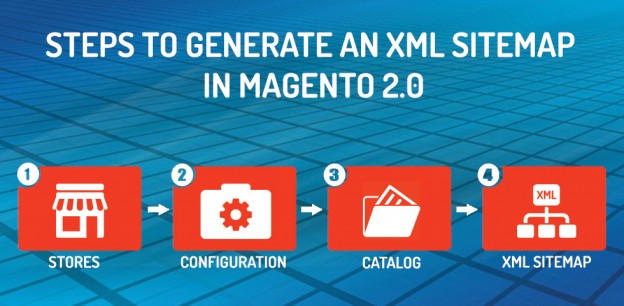
Most of you already know what a Sitemap is? Still I would like to elaborate a little about it. A Sitemap contains all your pages links. This is used to give your webpages information to the search engine like Google which can cleverly crawl your website in its search result. Today in my blog, I am going to explain how a user can create a Sitemap in their Magento 2 Store. If you need any assistance for your Magento Store, feel free to ask our Magento Developers.
To go this, first login to your Store Admin Panel.
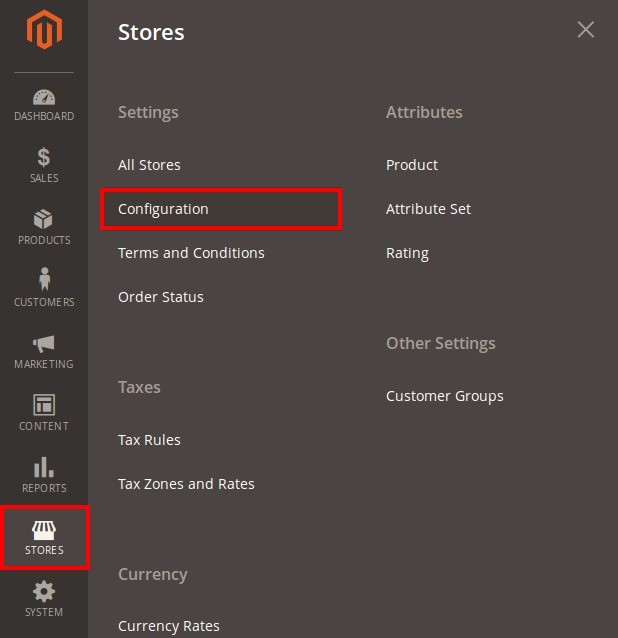
1. To configure Sitemap, go to Stores>>Configuration.
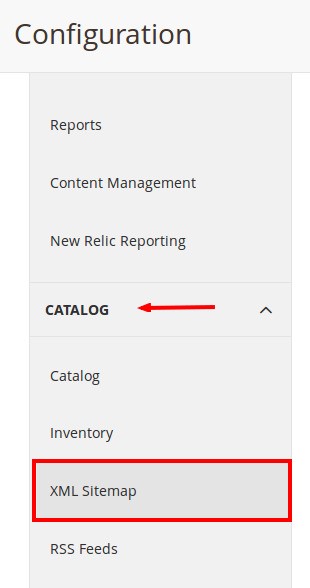
2. Configuration Screen opens. Find Catalog tab and scroll down to find XML Sitemap. Click on XML Sitemap section.
3. The section opens in right side. Here, you will find six options from where you can configure the XML Sitemap settings. Expand each of the individual section by clicking on the down arrow.
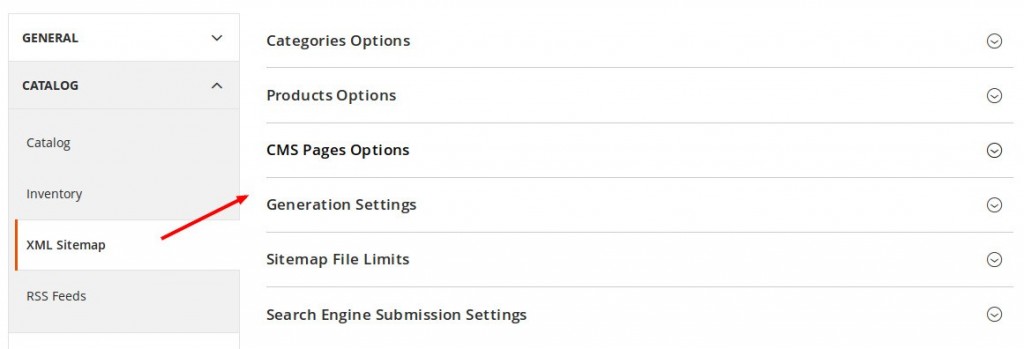
4. The Three options namely Categories Options, Products Options and CMS Pages Options are used to set the frequency of generating the sitemap.
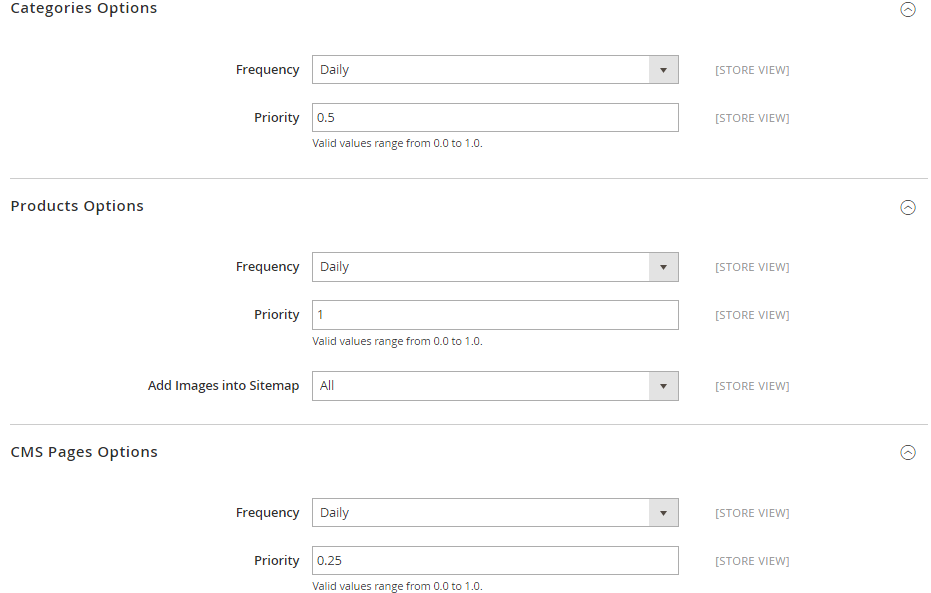
This is The Steps to Generate an XML Sitemap in Magento 2.0.
If you face any difficulty in generating an XML Sitemap, then contact our Magento Support . We would be happy to help you.