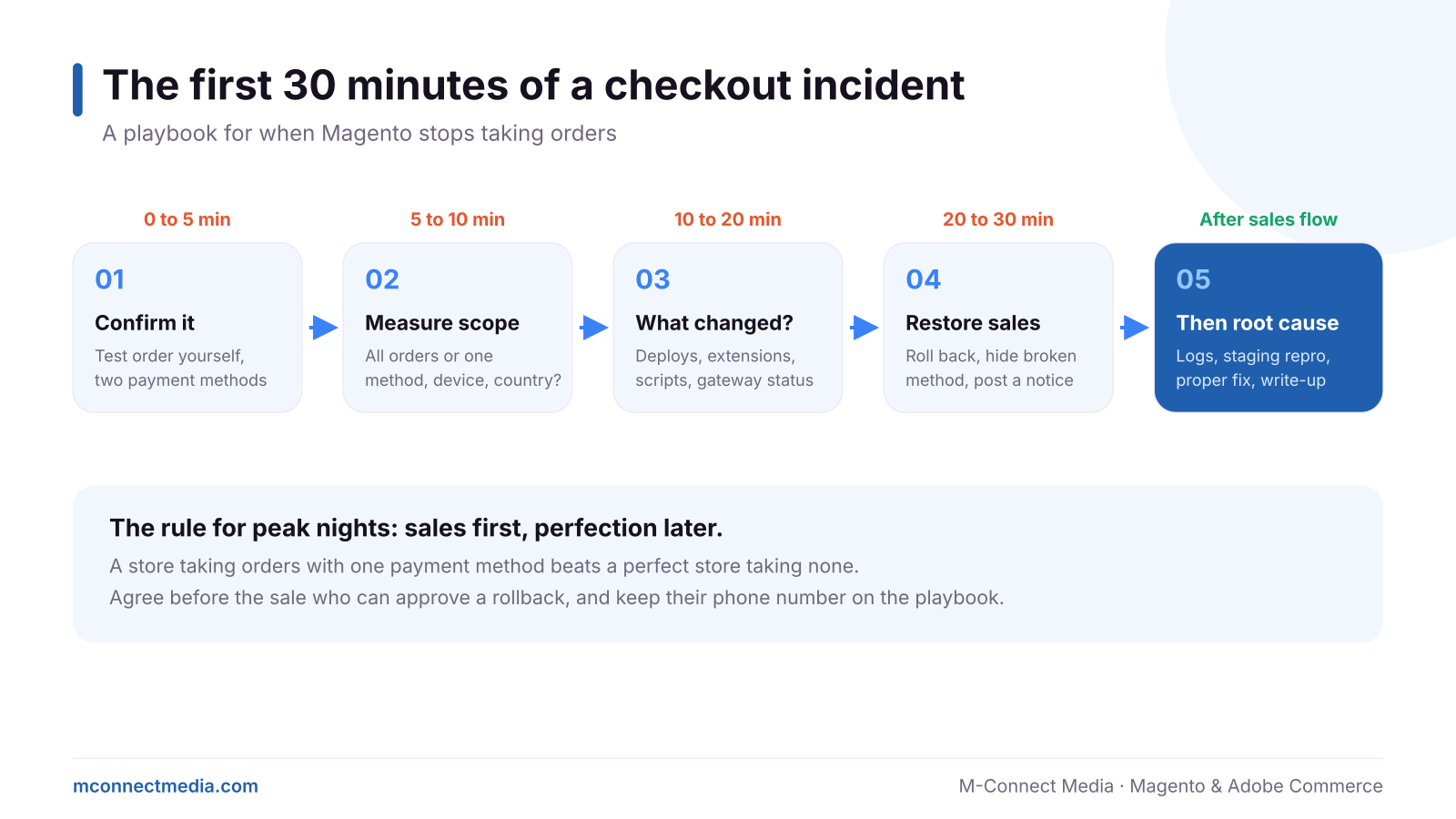
Short answer: when Magento checkout stops taking orders, spend the first 30 minutes on five things in order: confirm the problem yourself, measure how wide it is, check what changed recently, restore sales with the fastest safe fallback, and only then dig for the root cause. Write the playbook before peak week, not during it, and know who gives you Magento emergency support before you need it.
Picture this. It is 11:47 pm on the busiest night of the year. The order notification sound that has been pinging all evening goes quiet. Five minutes pass. Then ten. The first customer email arrives: “I tried to pay three times and it just spins.”
Somebody opens the admin. Somebody else restarts something. A third person posts in the group chat asking if anyone deployed today. Twenty minutes later, nobody knows more than they did at the start.
This scene is illustrative, but anyone who has supported stores through peak season has lived a version of it. The problem is rarely that the fix is hard. The problem is that nobody agreed in advance who does what, and in which order.
Why the first 30 minutes cost so much
On Cyber Monday 2025, US shoppers spent about $16 million per minute online at the peak, between 8 pm and 10 pm, according to Adobe Analytics. Your store is a small slice of that, but the shape is the same: the minutes when checkout fails are your most expensive minutes of the year.
Shoppers also do not wait. In Baymard Institute’s research, 17% of US shoppers who abandoned a checkout said website errors or crashes were the reason. On a normal day that is a leak. On Black Friday it is a flood.
The first 30 minutes, step by step
Minutes 0 to 5: confirm it yourself
Place a real test order on your phone and on a laptop, with at least two payment methods. Customer emails tell you something is wrong; your own test tells you what. Note the exact step where it fails: cart, shipping, payment, or the success page.
Minutes 5 to 10: measure how wide it is
Is it every order or only one payment method? Every country or one? Mobile only? Logged-in customers only? A failure that hits one payment method is usually the gateway. A failure that hits everyone is usually your server, cache or code.
Minutes 10 to 20: check what changed
Most peak-night outages follow a change. Ask three questions: did anyone deploy code, install or update an extension, or change a setting today? Did marketing add a new script, banner or price rule? Did the hosting provider or payment gateway post an incident? Check the gateway’s status page before touching your own server.
Minutes 20 to 30: restore sales, even imperfectly
Pick the fastest safe fallback. Roll back today’s deploy. Disable the new extension or script. If one payment method is broken, hide it and keep the others running. Put a short notice on the cart page so shoppers know you are on it. A store taking orders with one payment method beats a perfect store taking none.
After sales are flowing: find the real cause
Now read the logs calmly, reproduce the problem on staging, fix it properly, and write down what happened while it is fresh.
Where to look, in order
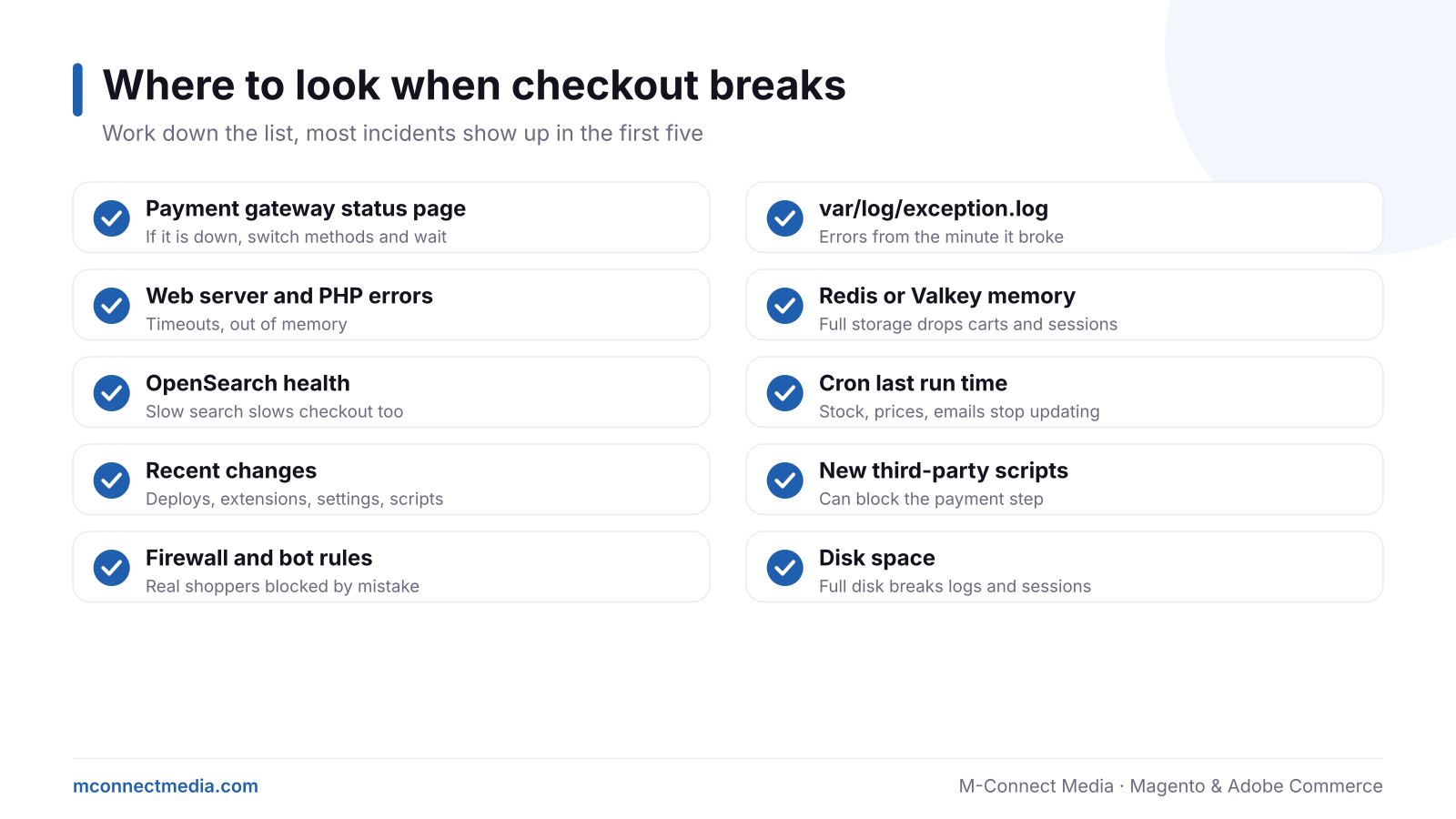
- Payment gateway status page. If the gateway is down, nothing on your server will fix it. Switch methods and wait.
- Magento logs.
var/log/exception.logandvar/log/system.log, plus any numbered error reports invar/report/. Look at the entries from the minute checkout started failing. - Web server and PHP errors. Timeouts and “out of memory” errors here point to a server that is overloaded, not broken.
- Session and cache storage. When Redis or Valkey runs out of memory, carts and sessions start disappearing.
- Search service. A struggling OpenSearch can slow every page, including checkout steps that load product data.
- Cron. Stuck cron jobs mean stock, prices and order emails stop updating.
- Third-party scripts and firewall rules. A new tracking script or an over-eager bot rule can block real shoppers at the payment step.
- Disk space. A full disk breaks logging, sessions and file uploads at the same time.
Write the playbook this week
A playbook is one page, not a manual. It needs four things: who is on call each night of peak week with a phone number, who can approve a rollback, how to reach your host and payment gateway support, and the checklist above. Print it. Share it. Practice once by pretending checkout broke on a Tuesday afternoon.
Want someone on call during peak week?
My team’s Magento support services include emergency response during Black Friday and Cyber Monday: monitoring, a named engineer, and a tested rollback plan agreed before the sale starts.
FAQ
Should I put the store in maintenance mode when checkout breaks?
Usually not. Maintenance mode stops browsing as well as buying. Keep the store open, hide the broken payment method or roll back the change, and show a short notice if needed.
How do I know if the problem is my store or the payment gateway?
Check the gateway’s status page and test a second payment method. If other methods work, the gateway is the likely cause. If everything fails, look at your server, cache and recent changes.
What should a holiday incident playbook include?
Names and phone numbers for each night, who can approve a rollback, support contacts for your host and gateway, the step-by-step checklist, and a template for a short customer notice.
Sources
- Adobe: Cyber Monday 2025 results, including peak spend per minute
- Baymard Institute: cart abandonment rate and reasons