Short answer: before Black Friday, check that your cache is warm and working, images and scripts are lean, search and cron jobs are healthy, checkout survives a load test, and you have a rollback plan and a code freeze. Our full Magento speed optimization checklist is below.
It’s 9 pm. The Black Friday email goes out at 6 am to 80,000 subscribers. The marketing team is excited. The developer is asleep. And nobody has opened the category page on a phone over mobile data this week.
Anyone who has run a Magento store through peak season knows this night. Sometimes the store holds up fine. Sometimes the first 20 minutes of the sale are spent watching a loading spinner while paid traffic burns.
Black Friday 2026 falls on November 27, with Cyber Monday on November 30. If you are reading this today, you have ten days. That is enough time to do this properly.
Why speed matters more this week than any other
The holiday numbers from last year explain it better than we can. Adobe Analytics reported that US shoppers spent $44.2 billion online during Cyber Week 2025, with Cyber Monday alone at $14.25 billion. And 56.4% of holiday orders were placed on a phone.
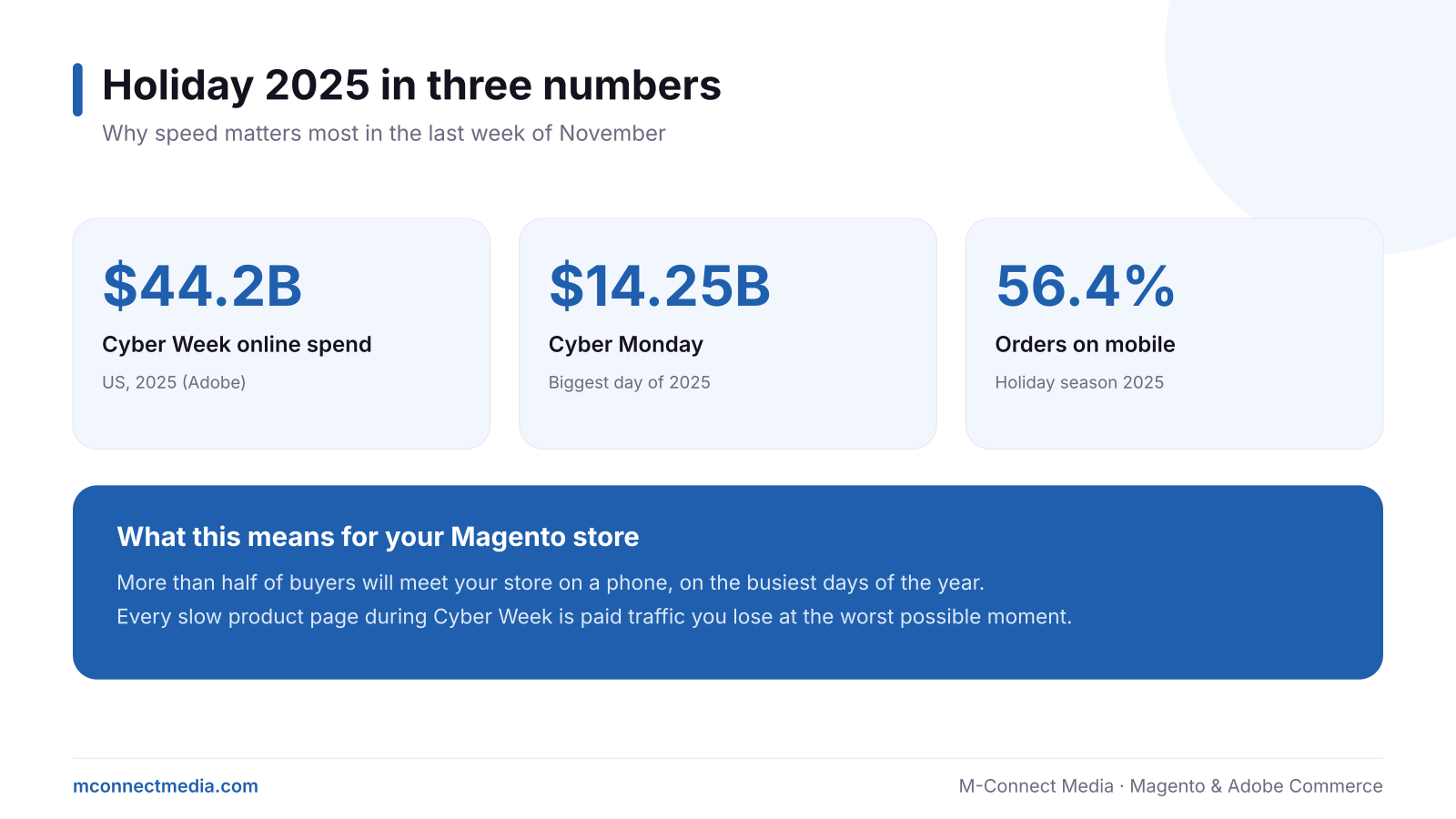
So on the busiest days of the year, most of your buyers are on a mid-range phone, often on a weak connection, comparing your store with three others in different tabs. A slow product page is not a small problem that week. It is lost revenue at the most expensive moment, which is why Magento speed optimization pays off most in the weeks before peak season.
The 10-point Magento speed optimization checklist for Black Friday
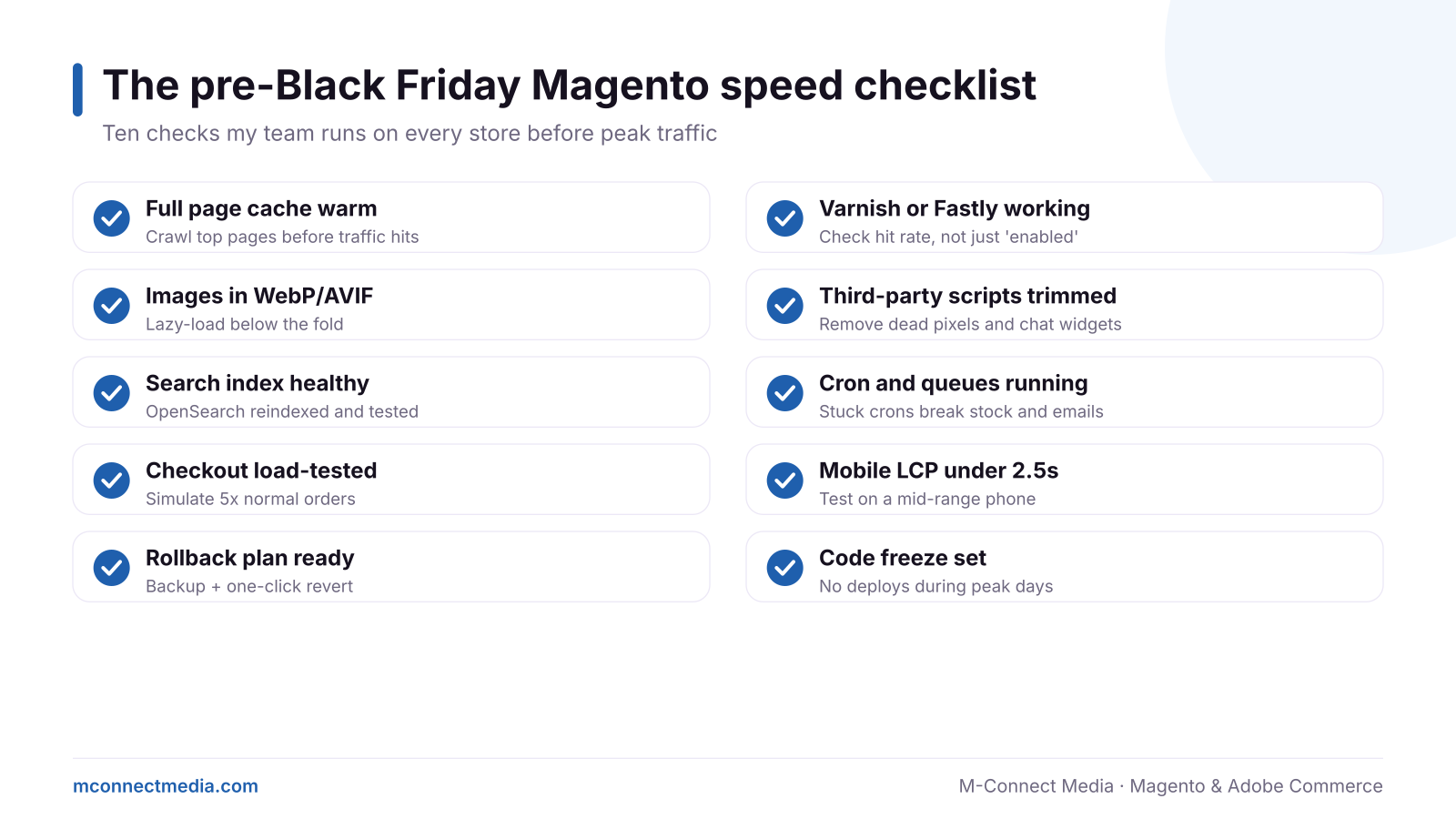
1. Warm the full page cache
After any deploy or cache flush, the first visitor to each page pays the price of building it. Crawl your homepage, top categories and best-selling products before the email goes out so real shoppers get cached pages.
2. Prove Varnish or your CDN is actually working
“Enabled” is not the same as “working”. Check the cache hit rate. If most requests still reach PHP, something (often a cookie or a personalised block) is breaking the cache.
3. Serve modern images
Convert product and banner images to WebP or AVIF, size them for the space they fill, and lazy-load anything below the first screen. Hero banners added by marketing the week before a sale are a classic cause of slow pages.
4. Trim third-party scripts
Old tracking pixels, a chat widget nobody answers, two review tools. Each one adds weight and risk. Remove what you do not use. On checkout, keep only what is essential, which also helps with PCI rules on payment-page scripts.
5. Check search is healthy
Reindex, then test real searches your customers use. On Magento 2.4.9 stores, this includes confirming the OpenSearch version your host runs is supported.
6. Make sure cron and queues are running
Stuck cron jobs mean stock does not update, order emails do not send and indexes go stale. Check the last successful run time, not just that cron is configured.
7. Load-test checkout
Simulate at least five times your normal order rate on a staging copy. Watch for slow payment calls, database locks and session storage limits.
8. Test mobile speed on a real phone
Aim for the main content of product pages to load in under 2.5 seconds on mobile (Google’s “good” threshold for Largest Contentful Paint). Test on a mid-range Android phone, not your laptop.
9. Have a rollback plan
A fresh backup, a tested way to revert the last deploy, and a person who knows how to do it at 2 am. If that person does not exist on your team, our Magento support services can cover peak week.
10. Set a code freeze
No new features, no “quick” theme tweaks, no extension updates from Thanksgiving to Cyber Monday unless something is broken. Most peak-week outages we have seen started with a small change.
If you only have one day
Do items 1, 6, 7 and 10. A warm cache, healthy cron, a checkout that survives load and no surprise deploys cover most of the risk. For the full list, our Magento performance team can work through it with you.
Want a second pair of eyes before the sale?
Our team at M-Connect Media runs a fast Magento speed optimization review: cache, images, scripts, Core Web Vitals and a checkout load test, with fixes done before peak week.
FAQ
Is it too late to speed up my store before Black Friday?
Not for the quick wins. Cache, images, scripts and cron fixes can be done in days. Big changes like a new theme should wait until January.
Should I upgrade Magento right before Black Friday?
No, unless it is a critical security patch. Plan version upgrades for the quiet weeks after the holidays.
Does more server power fix a slow store?
Sometimes it helps, but most slowness comes from a broken cache, heavy frontend code or too many scripts. Bigger servers cost more every month and hide the real problem.